TL;DR: Most useful VLC shortcuts: Space (play/pause), F (fullscreen), S (stop), M (mute), Ctrl+Left/Right (seek 1 min), [ and ] (playback speed), V (subtitles).
VLC Keyboard Shortcuts — Complete List
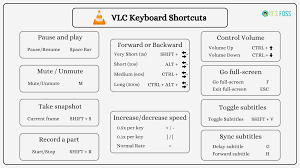
Playback Controls
| Shortcut | Action |
|---|---|
| Space | Play / Pause |
| S | Stop |
| F | Toggle Fullscreen |
| Esc | Exit Fullscreen |
| Double-click | Toggle Fullscreen |
| N | Next Chapter / Track |
| P | Previous Chapter / Track |
| [ | Decrease Playback Speed |
| ] | Increase Playback Speed |
| = | Normal Playback Speed (1x) |
| E | Step to Next Frame (while paused) |
| T | Show Remaining Time / Total Time |
| L | Toggle Loop |
| R | Toggle Random / Shuffle |
Seeking / Navigation
| Shortcut | Action |
|---|---|
| Right Arrow | Seek Forward 10 seconds |
| Left Arrow | Seek Backward 10 seconds |
| Ctrl + Right | Seek Forward 1 minute |
| Ctrl + Left | Seek Backward 1 minute |
| Alt + Right | Seek Forward 3 seconds |
| Alt + Left | Seek Backward 3 seconds |
| Shift + Right | Seek Forward 5 seconds |
| Shift + Left | Seek Backward 5 seconds |
| Ctrl + Home | Jump to Start |
| Ctrl + End | Jump to End |
| 1 – 9 | Jump to 10% – 90% of video |
Volume & Audio
| Shortcut | Action |
|---|---|
| Up Arrow | Increase Volume |
| Down Arrow | Decrease Volume |
| M | Mute / Unmute |
| Ctrl + Up | Increase Volume by 5% |
| Ctrl + Down | Decrease Volume by 5% |
| B | Next Audio Track |
| Shift + A | Cycle Audio Tracks |
| Ctrl + H | Sync Audio Faster |
| Ctrl + J | Sync Audio Slower |
| G | Decrease Audio Delay |
| H | Increase Audio Delay |
Subtitles
| Shortcut | Action |
|---|---|
| V | Cycle Subtitle Tracks |
| U | Cycle Teletext Pages |
| F | Next Subtitle Track (in some versions) |
| Z | Zoom in on Subtitles |
| Ctrl + Shift + H | Sync Subtitle Earlier |
| Ctrl + Shift + J | Sync Subtitle Later |
| J | Decrease Subtitle Delay |
| K | Increase Subtitle Delay |
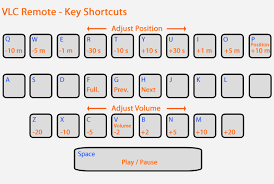
Video & Display
| Shortcut | Action |
|---|---|
| F | Fullscreen |
| Alt + Enter | Toggle Fullscreen (Windows) |
| W | Change Aspect Ratio |
| A | Cycle Aspect Ratio |
| Z | Cycle Zoom Mode |
| Ctrl + F | Toggle Fit to Window / Original Size |
| Ctrl + 1 | Set 50% Window Size |
| Ctrl + 2 | Set 100% (Normal) Size |
| Ctrl + 3 | Set 200% Window Size |
| Ctrl + 4 | Set 400% Window Size |
| D | Toggle Deinterlace |
| O | Show Original Size |
File & Interface
| Shortcut | Action |
|---|---|
| Ctrl + O | Open File |
| Ctrl + V | Open from Clipboard (URL) |
| Ctrl + F | Open Folder |
| Ctrl + N | Open Network Stream |
| Ctrl + C | Open Capture Device |
| Ctrl + R | Open Recent Media |
| Ctrl + Q | Quit VLC |
| Ctrl + S | Take Screenshot |
| Ctrl + E | Open Effects and Filters |
| Ctrl + I | Show Media Information |
| Ctrl + G | Show Track Synchronization |
| Ctrl + W | Show Codecs Information |